Filter devices
In case you have many devices or use several groups, it may be difficult to find one device in the list. To resolve this issue, use the Device Filter field at the top of the Device menu. Use this field to filter by device name, as follows:
- In the filter field, enter a word or phrase that contains the name of the device or devices you are looking for.
- After entering, we wait for approx. 1-2 seconds.
- The system narrows the list to the devices that contain the detail specified in the filter field.
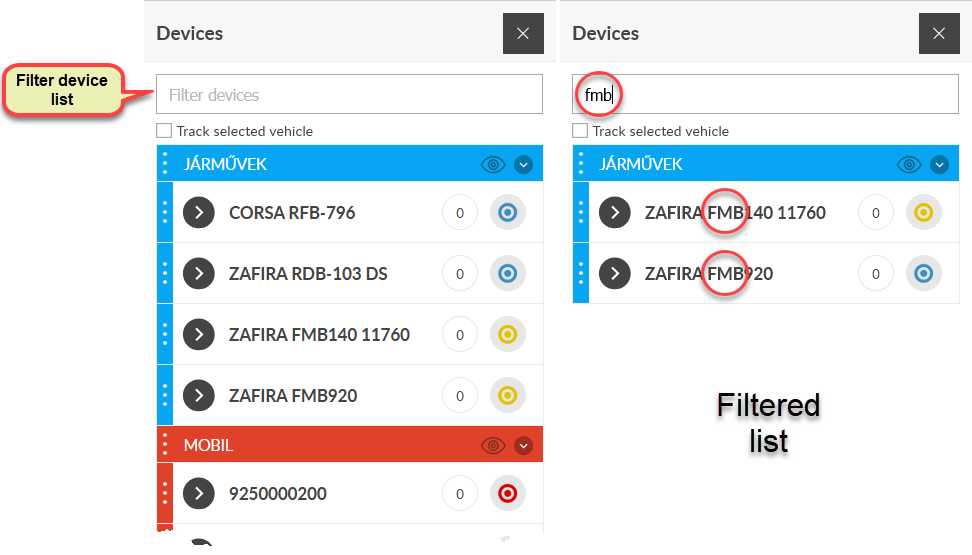
Since the map also follows the result of the filtering and shows only the vehicles in it, we can then work with the system as if we only had the vehicles shown in the shortlist. To restore the entire list, delete the contents of the filter field.