The route planner panel
In the route planning panel, you can set planning parameters, view textual information about the planned route, and perform some actions.
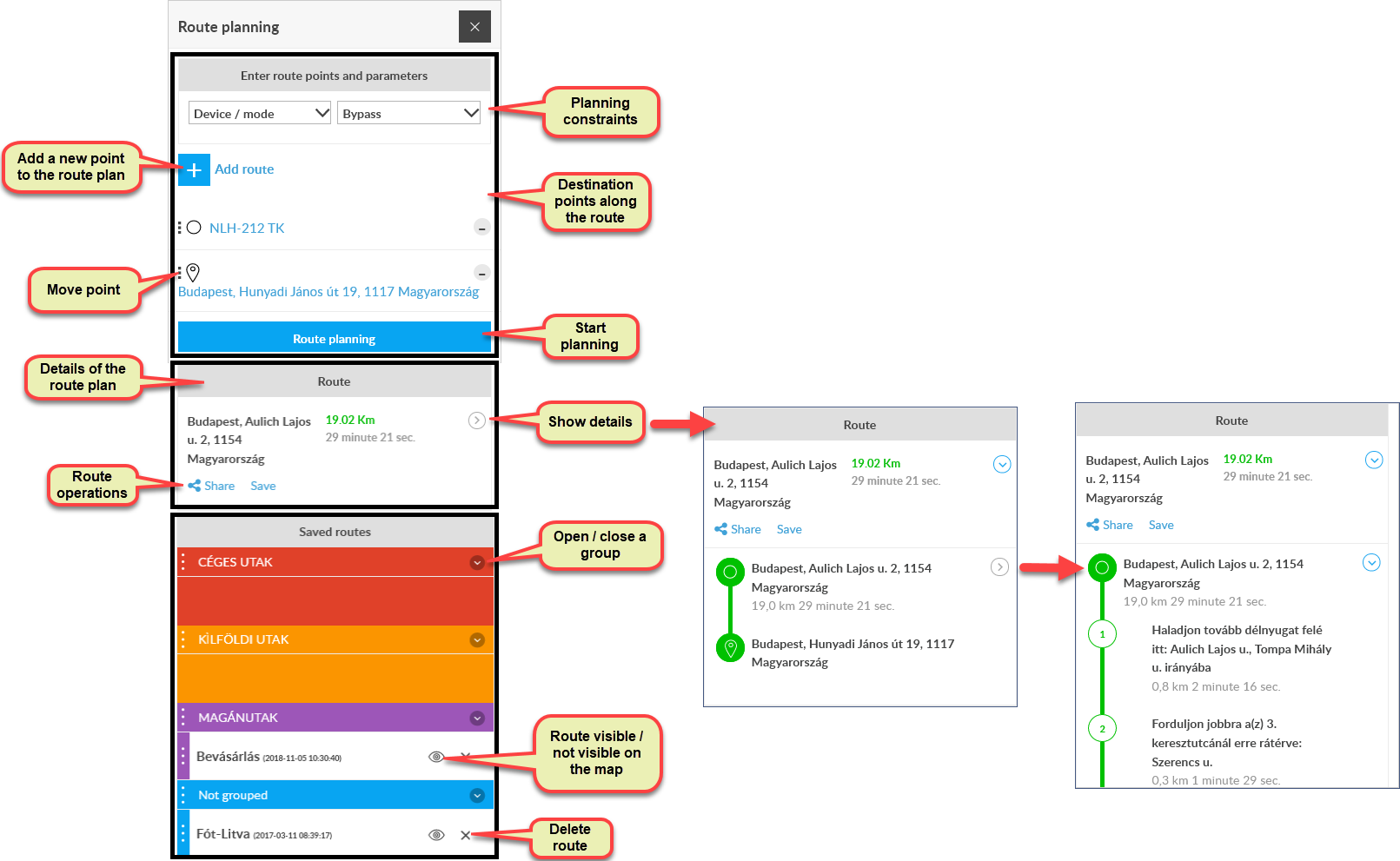
The route planning panel is divided into three parts:
- Route points and parameters
- Itinerary
- Saved routes
Route points and parameters
In the top section, enter the route points (departure, destination, and possibly waypoints), and you can set restrictions on the types of roads and vehicles to avoid. The order of the recorded route points can be changed by moving: by holding down the left mouse button on the move icon, the point can be moved.
Route plan
In the middle you can see the details of the calculated route plan. Clicking on the opening / closing icon will display and close more and more details. Route operations allow you to share your route with others or save it for later reuse.
Saved routes
You can group saved routes, display them again (click on the route name), modify the selected route and save it again. By clicking on the “eye” icon for each route, several routes can be displayed on the map at the same time. Unnecessary routes can be deleted.