Edit Group
Within the Edit group function, you can edit the details of the group or create a new group. The two operations take place on the same surface. When adding a new group, the panel title is “Add New Group”, and when changing, the group name.
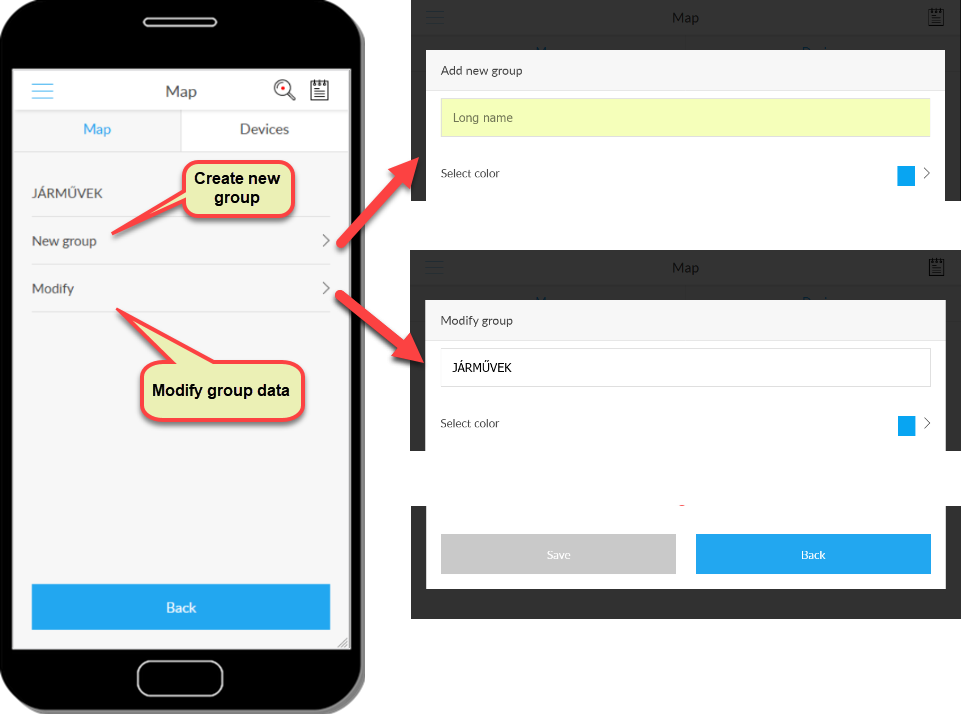
You can enter two pieces of information, the group name and the color. For the latter, tap the Color field to get a color picker list. Select the desired color from the list and tap Save . The color of the group determines the color of the icons of the associated GPS devices that will appear on the map. When using Back , no color selection is made.
If you change the Save button, it is only active if you have changed the data.