Devices on the map
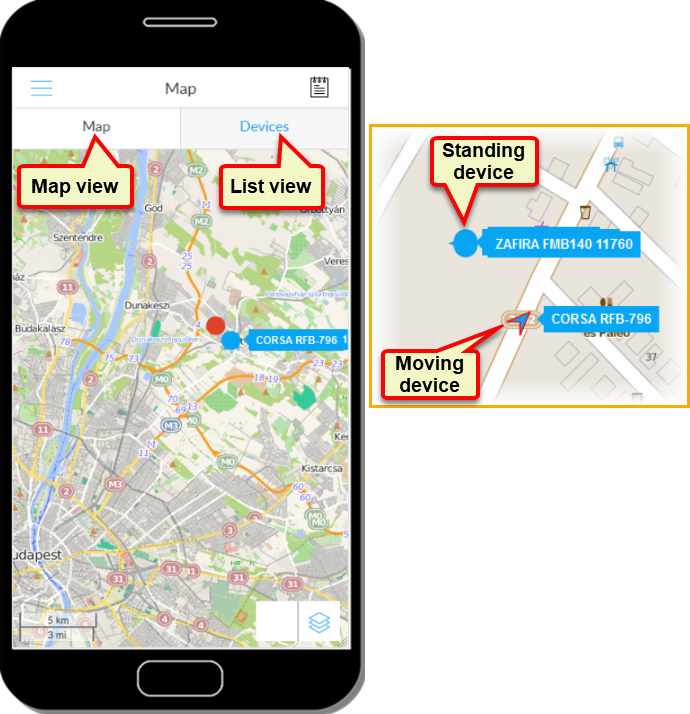
The system registers and tracks the GPS devices connected to the service. Based on the data sent to the Service Provider by the devices, it marks their location and movement on the map, and also provides additional information.
After logging in to the system, the user's GPS devices are displayed. These are shown on the map on the one hand and in the list of devices on the other. You can switch between the two views by tapping the „tabs” labeled Map and Tools.
On the map, stationary devices are marked with a disk, moving devices with an arrow icon.
A device can be selected (in both the Map and Devices panels) by tapping - indicated by a solid red outline around its icon. The movement of the selected device is automatically tracked on the map, so it always remains visible.