Get route
To query a route in the sandwich menu ( ), select Route. The panel with the parameters of the route query appears, where you can set their desired values. After performing the query, the system draws the route on the map.
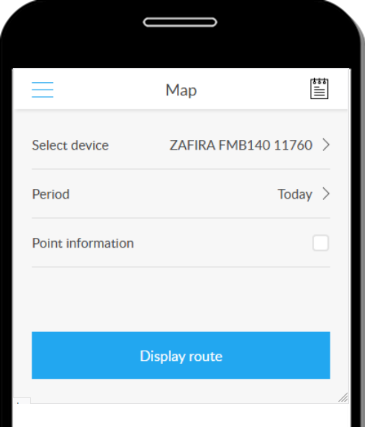
Query parameters
The query parameters are used to set which device and from what period we are requesting a route.
Device selection
Tap to see a list of devices from which you can select the device you want to view.
Period
See Specify time period.
Point information
If set to „Yes”, the GPS position submission points that make up the route will also appear in both the route panel and the map.
This setting can significantly extend the time it takes to process your query!
Executing the query
Clicking the Show route button will start the query. Displays the process and then the route when done. If the device has not moved for the specified period, it does not have a route - this is also displayed and then returns to the route parameters.