
Felhasználói eszközök
Tartalomjegyzék
User guide
Transport and storage
The packaging is designed to protect the product from the usual physical effects during transport. Be careful to avoid effects other than these.
The packaging of the product is not water, flame and heat resistant and only moderately pressure resistant. Therefore, do not keep the box in a humid environment, out of the reach of heat-emitting equipment, or place heavy objects on it.
Commissioning
The package consists of a box containing the device and its accessories.
Unpacking
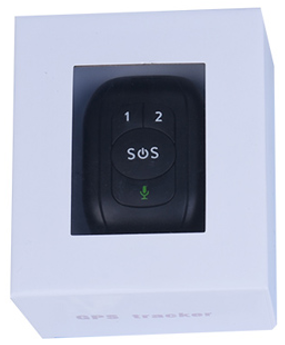
- Open the box.
- Remove the product.
- Remove the retaining insert to protect the device.
- Remove the accessories below.
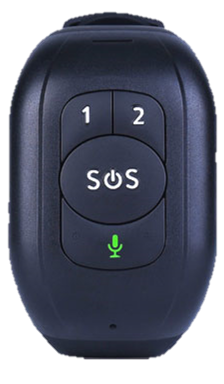 |
1 Reachfar V48-4G tracking smartwatch |
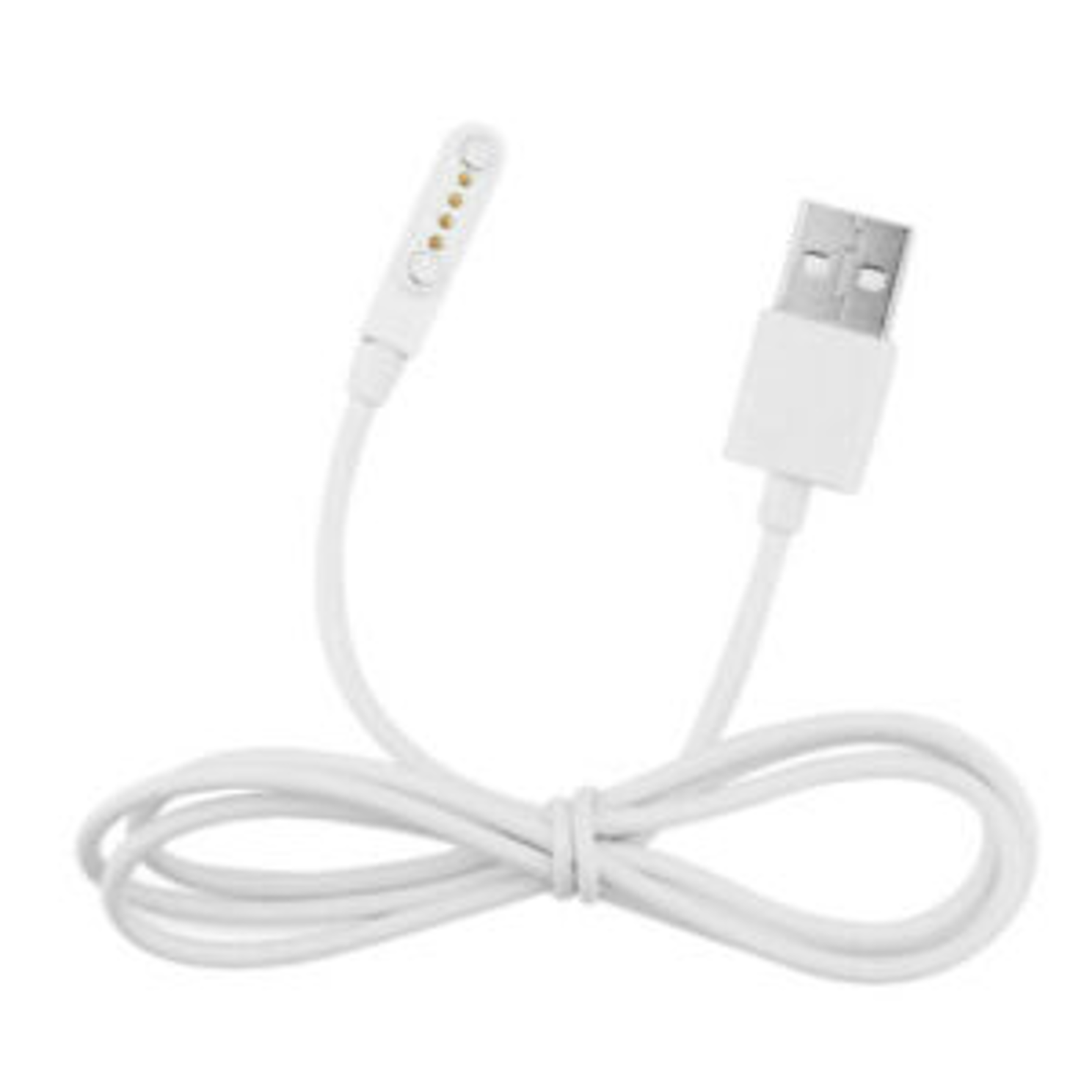 |
1 USB cable |
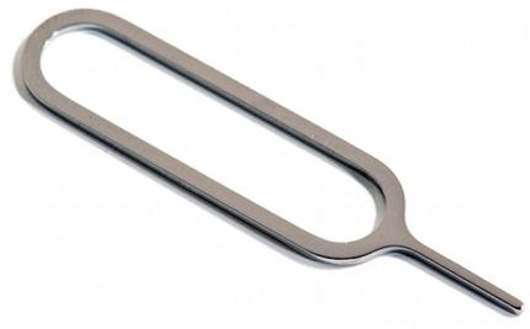 |
1 SIM needle |
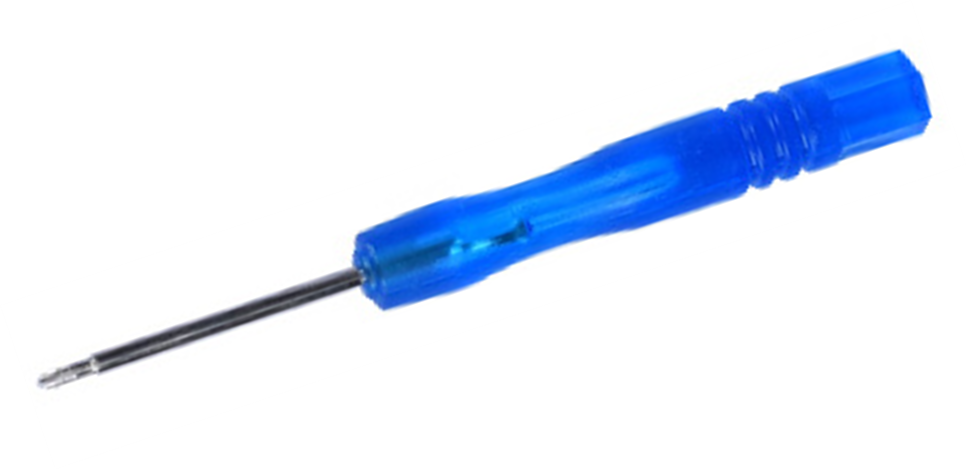 |
1 screwdriver |
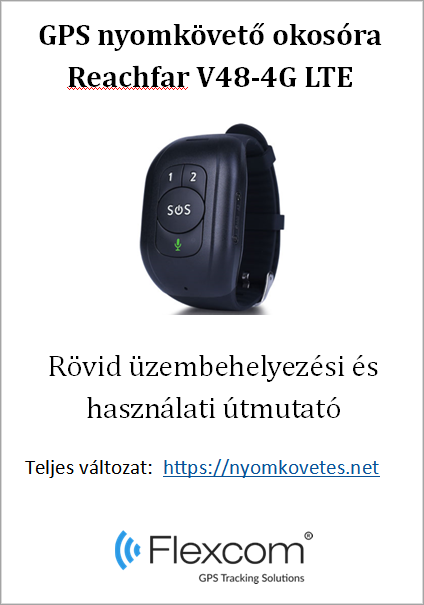 |
1 installation instructions |
Preparing the SIM card
As with mobile phones, a SIM card is required to operate the device. The device communicates with the mobile service provider's network via SIM card, SMS or mobile phone or PC applications.
You can purchase the card independently from your mobile service provider or, in the case of a software subscription, from your product distributor. If you received the SIM card from your dealer, you do not need to make any settings: the card is already set up, inserted in the device, switched on and ready for use.
If you have received the SIM card from your dealer, do not try to transfer it to another device (eg phone) and use it! The distributor (service provider) will reimburse the resulting costs or the correction of the resulting errors.
Settings for your SIM card
If you did not obtain the SIM card from your tracking device vendor, you must set it up before inserting and using it in the device, which you can do as follows.
Disable SIM card PIN and other functions
- Insert the SIM card in your phone.
- Among the setting functions of the phone
- turn off the PIN code request, auto-reply and call forwarding options.
After turning off the above, insert the card into the tracking device. See the next section for instructions on how to insert the SIM card.
Setting up data traffic
If you are using a software tracking service, you must activate GPRS (Internet) data traffic and enter the appropriate network settings. To do this, you need to send SMS messages from your phone to the phone number of the SIM card inserted in the tracking device, as shown in the table below.
There are devices into which the manufacturer pre-feeds APN data from many mobile operators. If your service provider's information is included, the network will automatically recognize your SIM card so you have nothing to do. The operations described in the table below should only be performed if said automation does not work.
The factory-set access password for the tracking device in the commands is 123456
| Setting | SMS message | Device response |
|---|---|---|
| Enter the APN name | pw,123456,apn,apn-name,apn-username,apn-password,MCC/MNC code# | apn ok |
| APN names for domestic service providers:
If you have a problem, check with your mobile service provider for the exact settings.
Telenor: online or net
Telekom: internet
Vodafone:
Digi: internet |
||
| If your mobile network provider has not provided you with an APN username and password, you do not need to send the following SMS messages to the tracking device! | ||
| APN username | apnuser123456(space)APN-username | apnuser ok |
| APN password | apnpasswd123456(space)APN-password | apnpasswd ok |
Insert the SIM card
Only nano-sized SIM cards can be used with this product!
Insert the SIM card as follows:
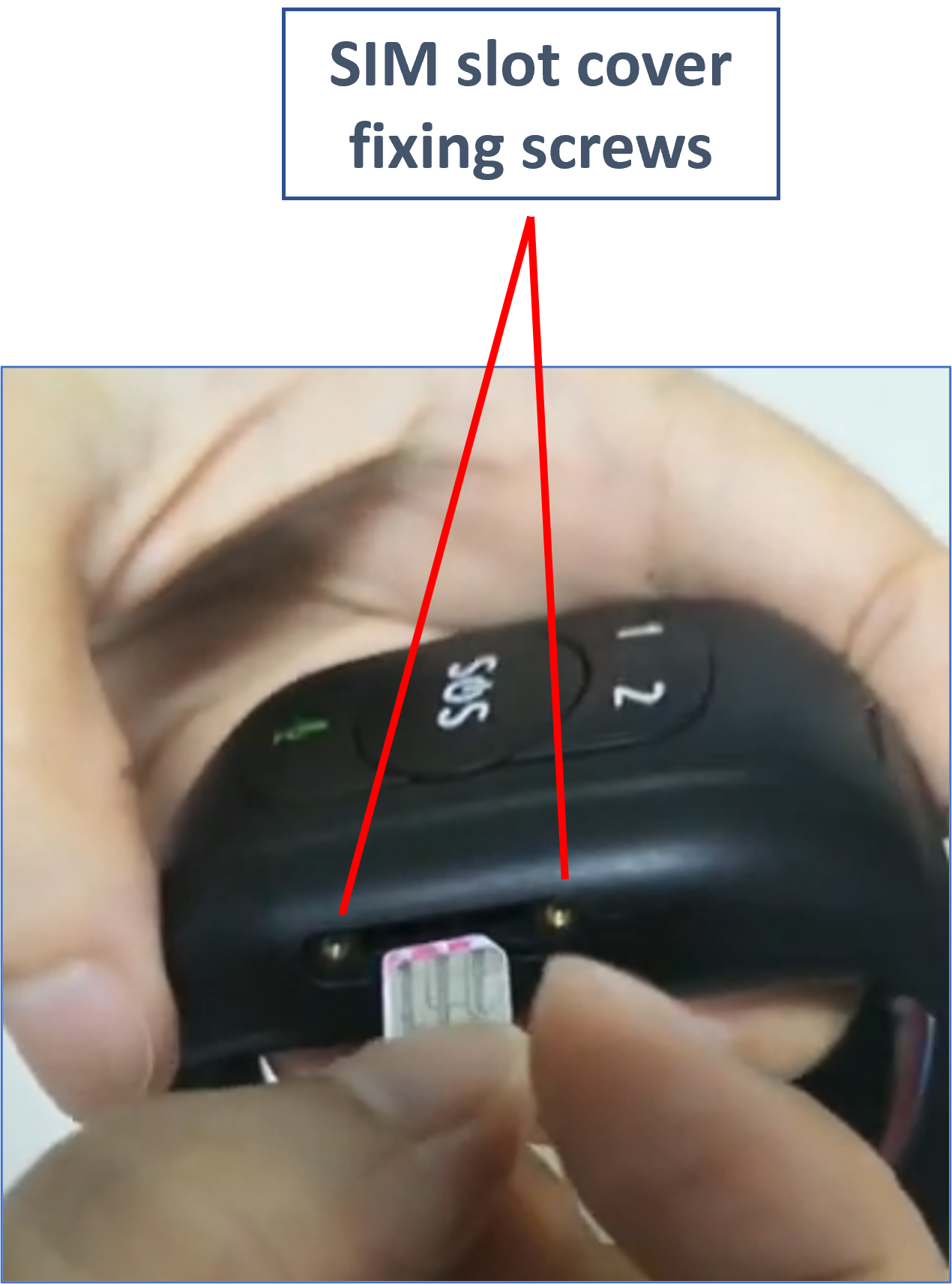
Steps:
- Unscrew the protective cover.
- Insert the SIM card into the slot as shown.
- Screw the protective cover back on.
Charging the battery
The watch is powered by a built-in battery, which needs to be charged at different intervals depending on the intensity of use. The magnetic charging cable connector is located on the back of the device. The correct connection of the cable is facilitated by the attraction / repulsion of the magnet.
The charger shown in the picture is an illustration, not part of the package!

During charging, the LED on the front of the watch flashes red slowly; when the battery is fully charged, the blinking turns solid. The charging time is approx. 2-3 hours.
If the red LED flashes slowly during normal operation, the battery is running low and must be charged.
A charger with a maximum current of 1 A may be used for the clock! Chargers with a higher capacity can damage the battery.
Application installation, access
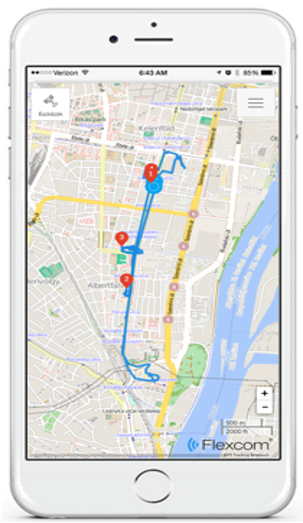
In order to operate the device and other services based on it, the distributor provides mobile and computer applications in the subscription system. The PC program is accessible via a browser at https://gpspositions.net/map/, and you can install the phone application on your phone in one of the following ways:
For Android phones

- Open the Google Play app on your phone.
- Search for “Flexcom” or “Flexcom tracking” on Google Play.
- Install the tracking application.
or
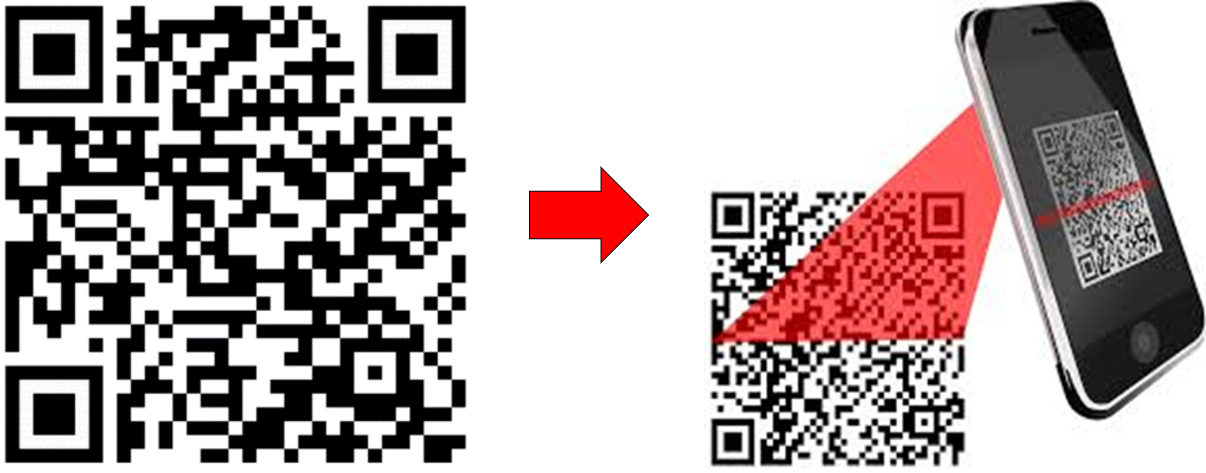
- Scan the QR code shown here with your phone.
- Open the web address decoded from this.
- Install the Flexcom tracking application.
For iPhones
Use the browser on your phone to access the service (https://gpspositions.net/map/).
Using the Product
User Interface
The connectors and controls of the device are located on the side under the protective cover and on the front / rear side.
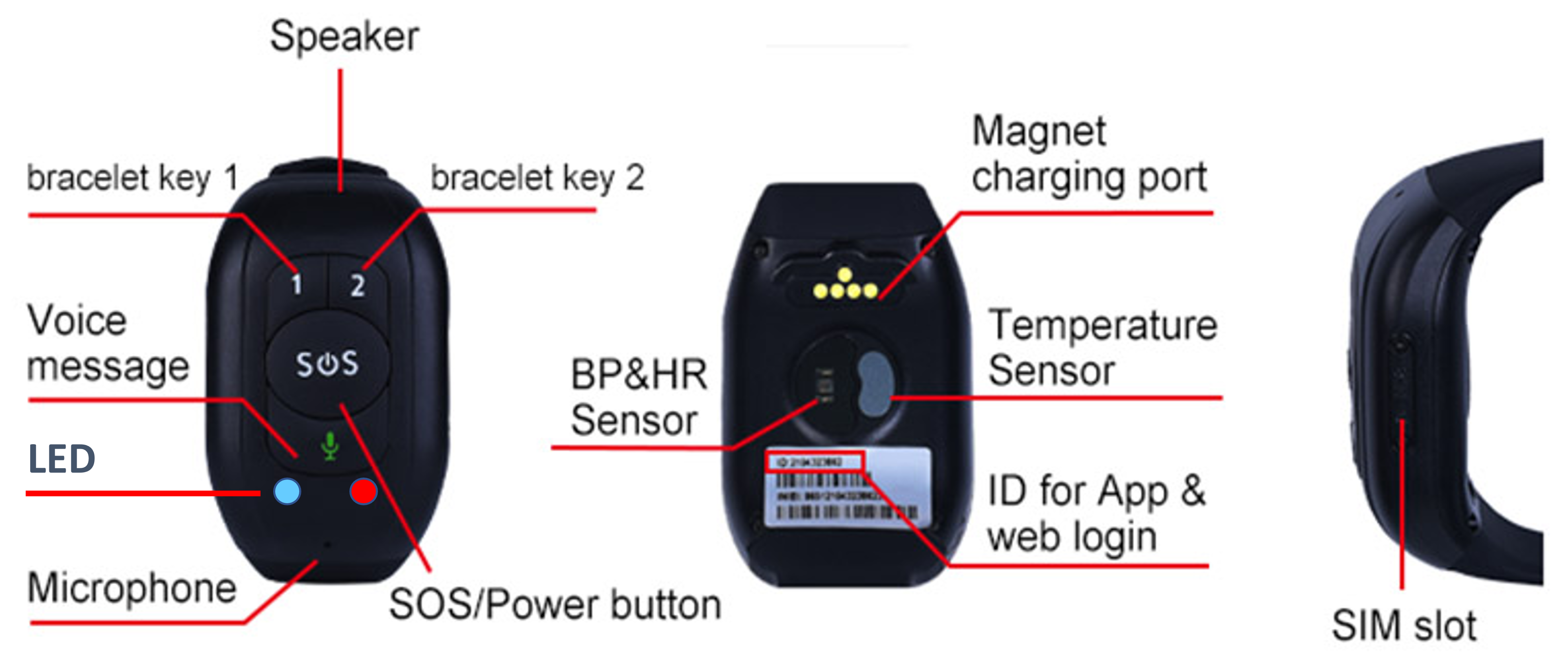
Speed Dial Buttons (1,2)
Speed dial preset phone numbers. The numbers can be entered using the software using the appropriate command sent to the machine (see later in the software settings section). You can end the call by pressing the SOS key once.
SOS button
The SOS button performs several functions:
- Turn on the clock (press and hold until the device beeps)
- Start emergency call (5 seconds for continuous press), end call (one press)
- Announcing the exact time (one press)
- End a speed dial call (press once)
When you start an emergency call (SOS call), the device tries to call the previously set SOS phone numbers in sequence. If one call fails, it switches to the other number and so on. It will try each number up to twice.
If the SOS call - SMS option is enabled in the settings (see chapter Software settings, device settings with commands and alarm options later), the device will also send an SMS message to these numbers in addition to the calls - but the cost of this is already burden the user.
Voice message button (green microphone)
While holding down the button, a voice message can be recorded, which is sent to the central server after the button is released. The message can be intercepted by the user of the tracking software.
LED display
Blue or red indicators related to the status and operation of the device.
| Color | Status | Description | |
|---|---|---|---|
| Bekapcsolva | Red (GSM) | Slow flash | Signal searching |
| Fast flash | Signal received | ||
| Blue (GPS) | Slow flash | Positioning | |
| Fast flash | Position uploaded | ||
| Charging | Red | Slow flash | Charging |
| Solid | Fully charged | ||
| Kék | Slow flash | Charging | |
| Solid | Fully charged | ||
| When the battery is low, the red LED flashes slowly | |||
Health sensor (back of the watch)
Sensor for measuring heart rate, blood pressure, blood oxygen level and temperature.
Charger connector (on the back of the watch)
Magnetic connector for the battery charging cable provided by the manufacturer.
Call the clock from the phone
The clock can be dialed from phones whose phone numbers are registered to the speed dial buttons or the SOS button.
Be careful not to accidentally press the buttons while using or storing the watch, as this may cause unintentional or abnormal operation.
Switching on and off
The clock can be switched on using the SOS button.
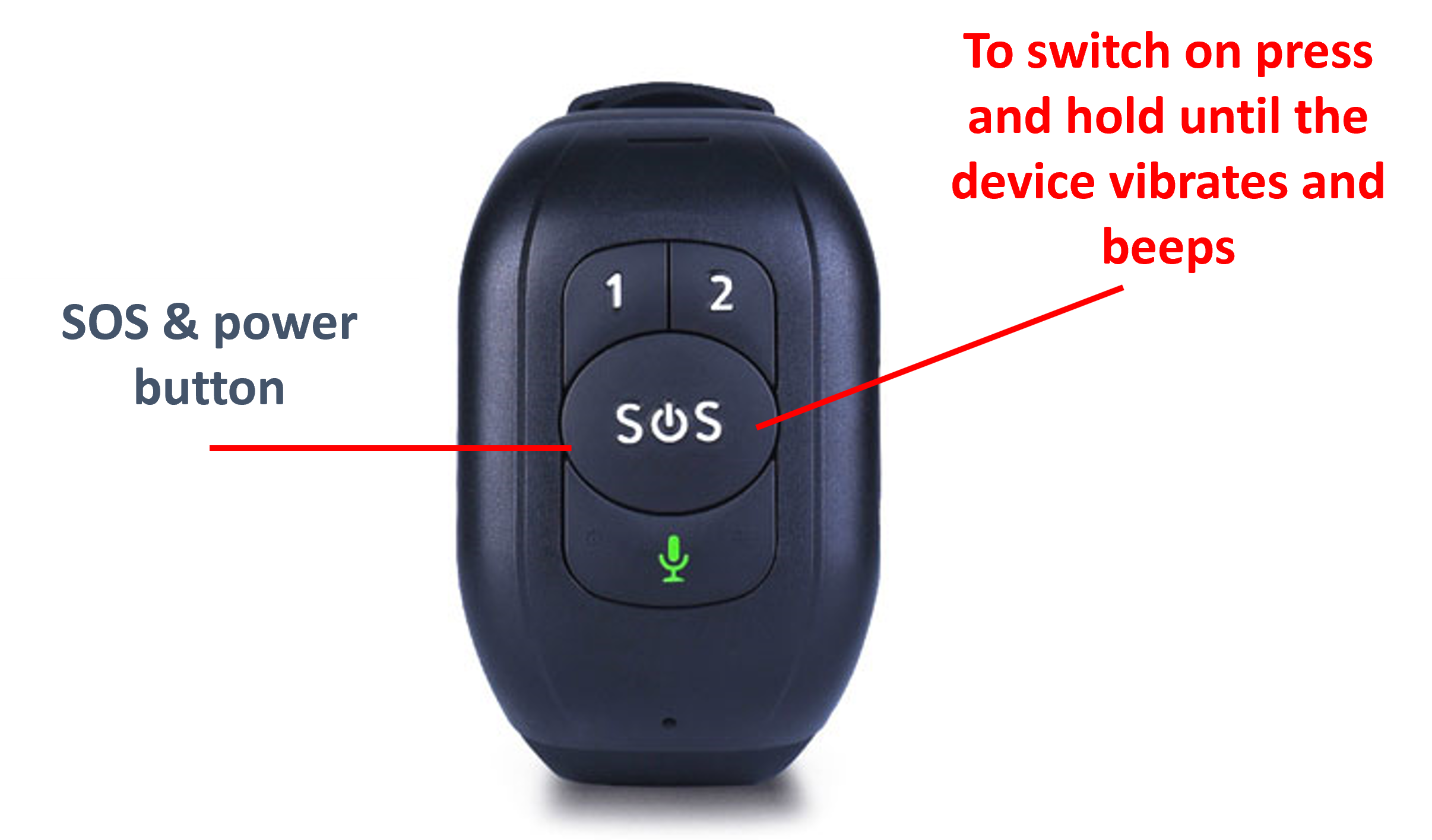
Successful switching on is confirmed by the clock vibrating and beeping.
The clock cannot be turned off with its own controls, only with a command sent from software.
Normal operation of the device
Setting options via the software
When using the desktop or mobile application of Flexcom Kft, the setup operations related to tracing can be accessed in the following ways.
The settings and commands that can be issued depend on the type of device. See the rest of this guide for information on options for this device.
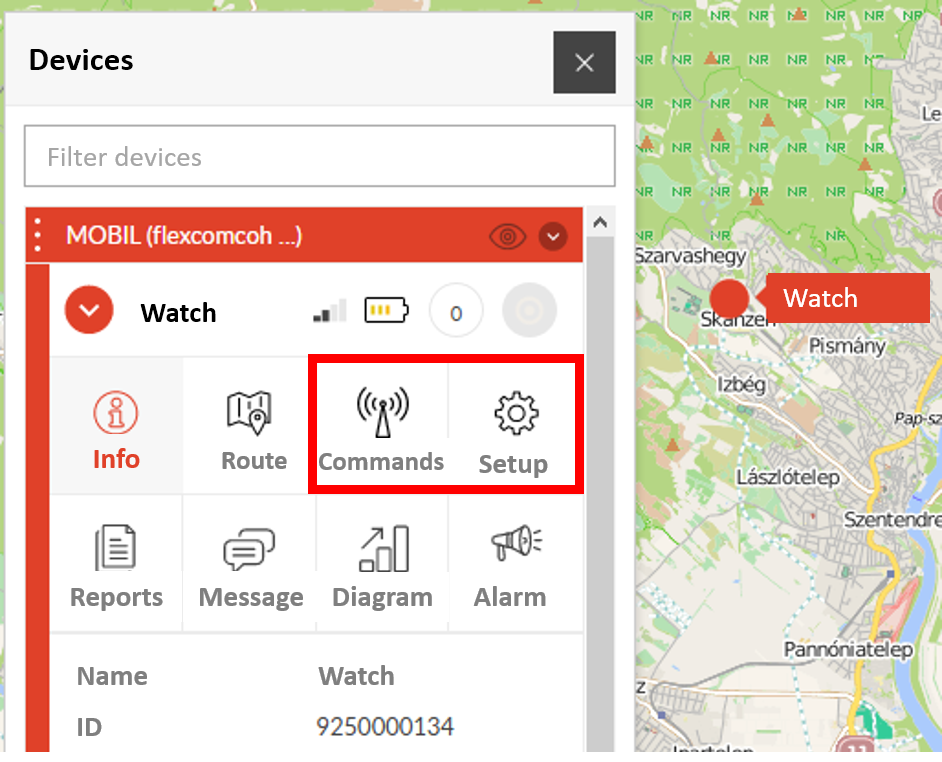
When using a desktop application:
|
Select the desired device on the map or in the menu.
Click the Settings or Commands button to select the general setting or behavior you want. |
 |
When using a mobile application:
| From the application menu, select Map. | 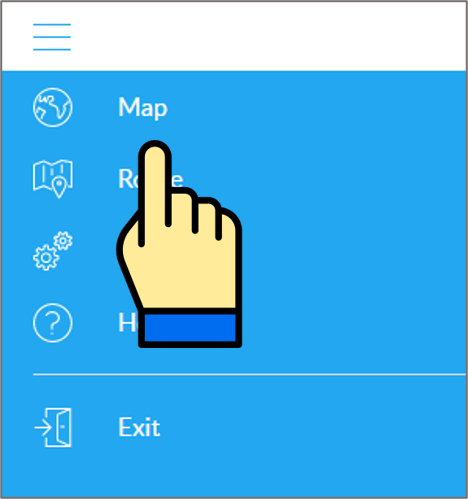
|
| Switch to the Tools panel. | 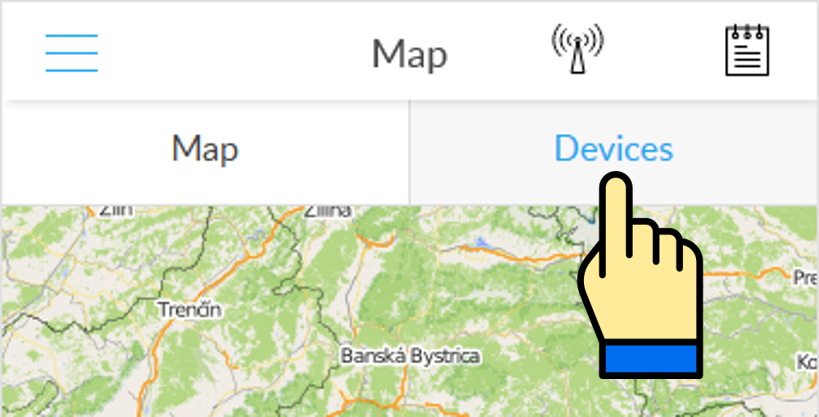
|
| Find your device in the list of devices and tap the Setup icon next to the ID. | 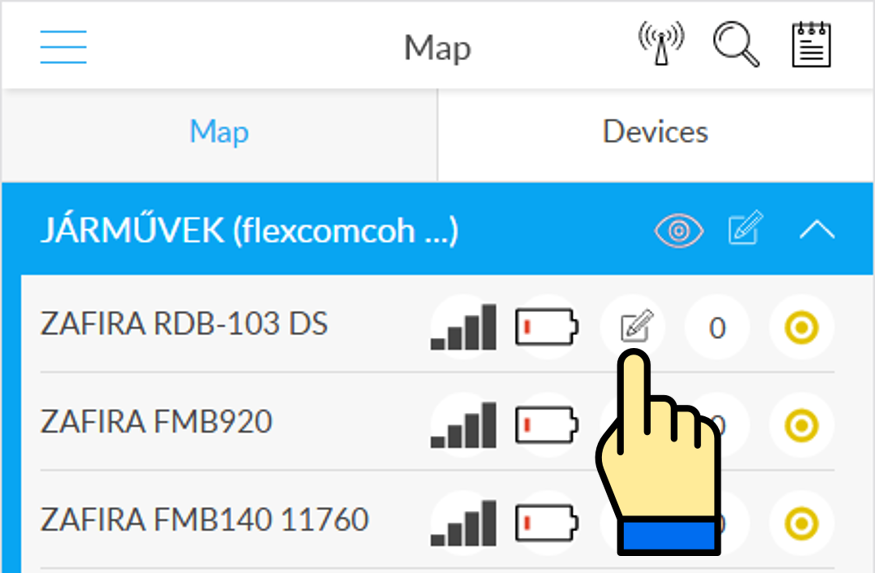
|
| Select the desired setting or, when sending a command, select Commands. | 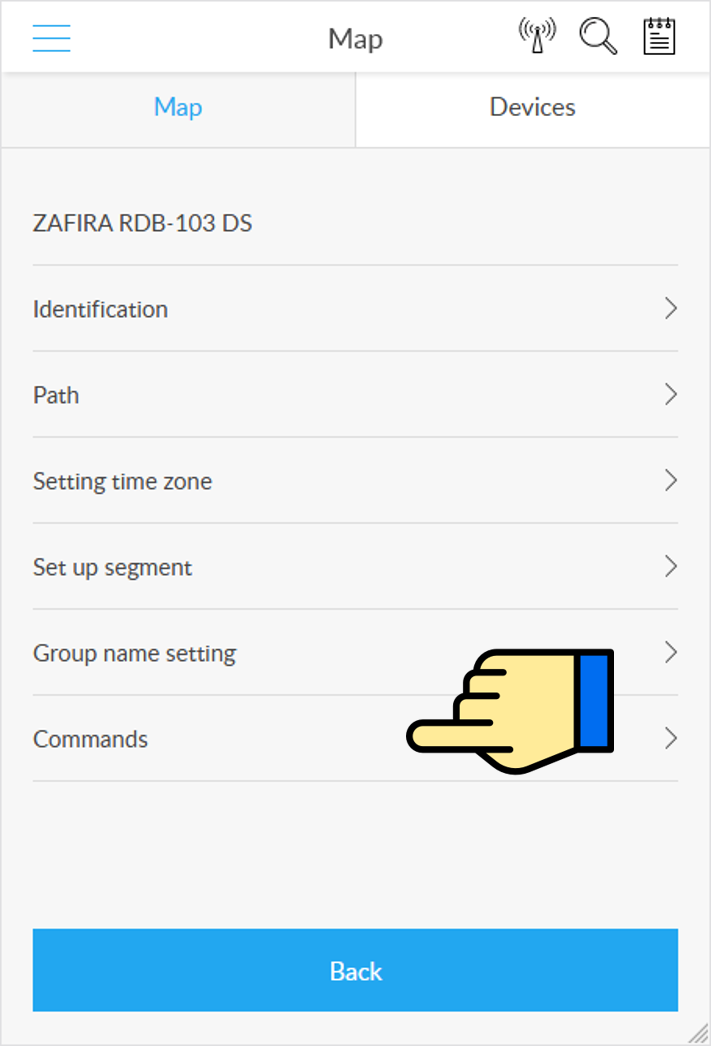
|
Software settings, device settings with commands and alarm options
| Settings related to the operation of the software In the software, you can make settings by clicking the Settings icon in the device menu. |
Device settings with commands In the software, you can specify settings and actions by clicking the Commands icon in the device menu. |
Alarm settings In the software, you can make settings by clicking the Alarms icon in the device menu. |
| General settings Device name, ID, map display method. |
Set up admin telephone number The phone number to which your device sends messages and calls. |
Low battery level If the device battery voltage drops below 20%, an event log entry or email notification will be made, depending on the setting. |
| Units of measurement Set units for speed, distance, altitude, volume and temperature. |
Set device PIN
The security PIN of the device. ATTENTION! If you change the PIN code, you must use the changed PIN code in SMS messages sent from your own phone that are not initiated from the software. |
SOS By pressing the SOS button for 5 seconds, the clock dials the set phone numbers. With this setting, you can add an e-mail message or an event log entry for a specified period of time. |
| Trail Device trail display, mode, details. |
Block unknown numbers Enable or disable barring of calls from numbers outside of the admin and SOS telephone numbers. |
Abnormal heart rate In case of abnormal heart rate measurement (outside the specified limits), the system will create an event log entry or send an email notification, depending on the setting. |
| Time zone From the list, you can select the time zone in which the device operates. In the case of Hungary, it is GMT + 2:00. |
Time zone From the list, you can select the time zone for the device to tell when you press the SOS button once. |
|
| Group Grouping device. |
Language Enter the language for the device displays / speaks. This is currently English only. | |
| Segmentation Route calculation parameters. |
Restart To send the command, the device turns off and then restarts. It is advisable to use it if you notice any disturbances in its operation. |
|
| Remote shutdown Sending the command turns off the device. |
||
| Date format Setting date format. |
||
| Ringtone Turn the ringtone on or off. |
||
| Search for the clock As a result of the command the watch beeps. |
||
| Position update The command sends the clock's current position data to the system out of line. |
||
| Scheduled position upload The device uploads its geographical coordinates to the central system at intervals selected from the list. Map tracking works based on these coordinates, and the denser this upload, the more accurate it is. The optimal setting can be experimented individually based on needs and practice. ATTENTION! The frequency of data upload significantly affects the operating time - try to adjust its density according to the actual use and needs. |
||
| SOS phone numbers Enter the phone numbers to call when you press the SOS key. |
||
| SOS alarm (SMS) In case of an SOS alarm, if the function is activated, the device will also send an SMS message to the SOS telephone numbers. The cost of the SMS is borne by the user of the watch!
|
||
| Low battery alarm via SMS If you turn on the function, the device will also send an SMS message to the central telephone number if the battery voltage level is low (20%). The cost of the SMS is borne by the user of the watch!
|
||
| Do not disturb period setting Three periods (with hour / minute limits) can be set during which the clock does not receive communication. |
||
| Setting the sleep time During the specified period, the watch measures the rotation of its owner (during sleep), or at the end of the period set here, the data of the previous step count and rotation measurements are deleted |
||
| Wake up The device sounds an alarm at the specified time. If you turn on repeat, it will repeat on all or the specified days. |
||
| Pedometer (sports function) Bekapcsolása esetén a készülék (a funkció kikapcsolásáig) lépésszámlálást végez, melynek eredménye a szoftverben lekérdezhető. |
||
| Pedometer period Schedule the pedometer function. The countdown is activated every day for the specified period. |
||
| Blood pressure, pulse and blood oxygen level measurement As a result of this command, the device measures blood pressure, pulse and blood oxygen levels and sends the measured values to the central system. |
||
| Temperature measurement As a result of this command, the device measures the temperature and sends the measured value to the central system. |
||
| Scheduled heart rate and blood pressure measurement Set repetitions for heart rate and blood pressure measurement. |
||
| Scheduled temperature measurement Setting temperature measurement iterations. |
||
| Fall detection Turn fall detection on or off. |
||
| Fall sensor sensitivity How strong the impact should be that the watch perceive to be a fall. |
||
| Medicine reminder Set and schedule a medication reminder message. |
||
| Message Send a text message to the system that the software admin can read. |
|
Nyomkövetés könnyen és hatékonyan


