
Felhasználói eszközök
en:software:mobile:manual:devices:devices-group-handling
Managing groups
The devices can be grouped. You can use groups to improve the visibility of the list. You can access various group services by tapping the icons in the group header of the device list.
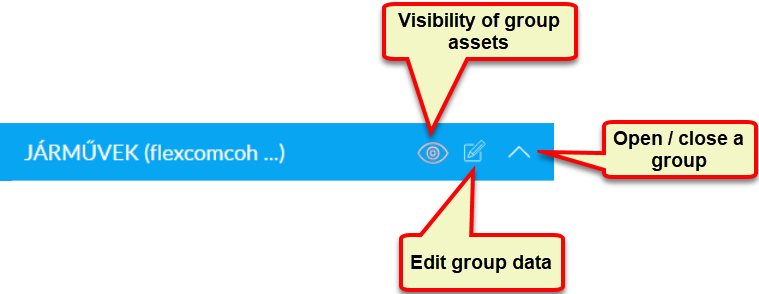
- Tap the “eye” icon to turn the visibility of the group's devices on the map on or off.
- Use the edit icon to change the group information (name, color) or create new groups.
- The contents of the group can be hidden / shown in the list. The same can be achieved by tapping the group name.
The system always manages the devices in groups. Already at the time of first use, a so-called default group that the system provides to the user. When you first log in to the system, you can see your devices in this default group. If you create your own groups (see Edit groups), you can categorize these devices by specifying the group name in their settings (see Edit devices).
Nyomkövetés könnyen és hatékonyan
Flexcom Kommunikációs Kft - Minden jog fenntartva


