
Felhasználói eszközök
Actions in the device list
In the device list you will find the GPS devices registered in the system to be tracked - these are also shown on the map (depending on certain settings). By default, the list includes all of our devices, whether or not they are on the map detail you are currently viewing. The list displays the devices in groups, so you can improve your visibility.
There are two ways to influence the appearance of devices in the list: by filtering (see Filter device list) or by opening and closing groups (see Group management). Both modes make it easier to navigate the list and find tools.
Tapping on a device's name opens its profile - this also means selecting the device, indicated by a red frame around the device icon on the map. When you tap again, the data sheet closes and the selection is canceled.
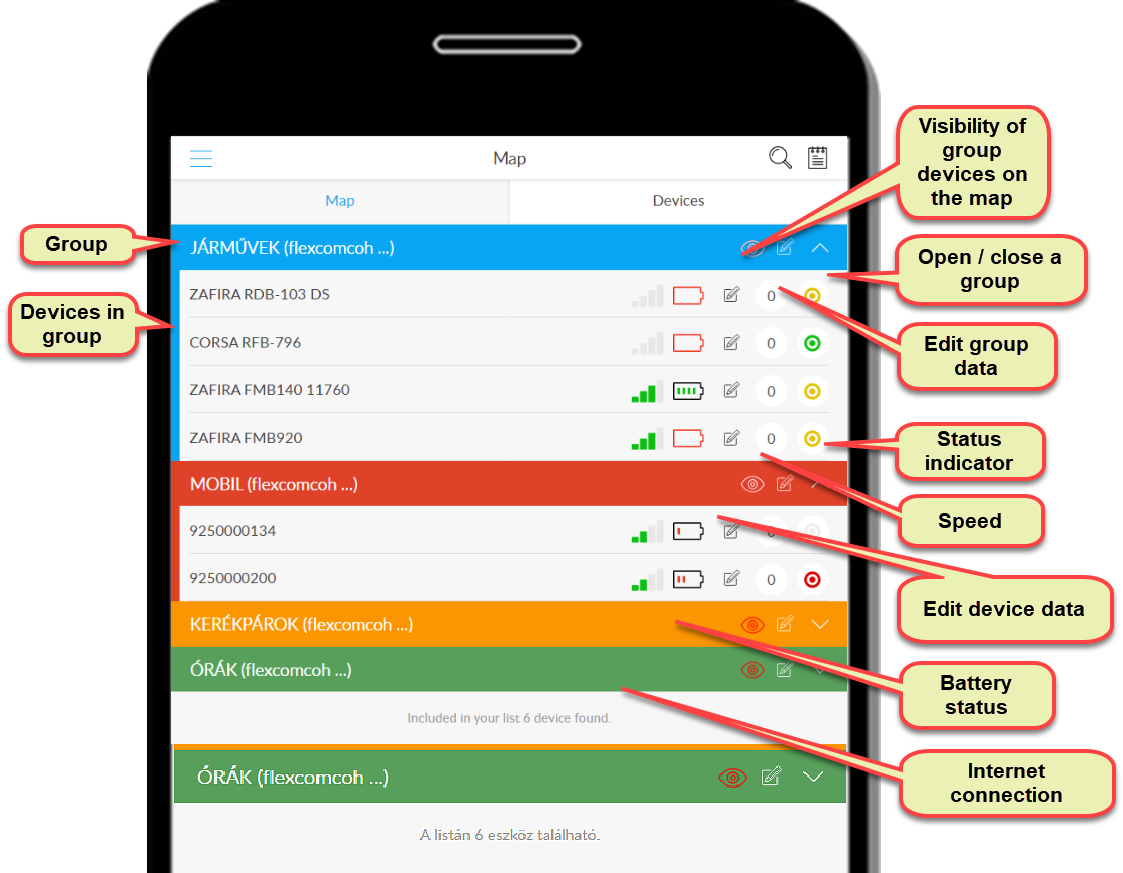
At the bottom of the list, the system displays how many devices are in the list.
Nyomkövetés könnyen és hatékonyan


