
Felhasználói eszközök
en:software:desktop:manual:route-planning:route-plan-save
Save Itinerary
Our created route plans can be saved for later reuse. To do this, click Save in the Itinerary section of the Itinerary panel.
In the profile that appears, enter the name of the route (you will see this later in the list of saved routes) and select which group you want to group the route into.
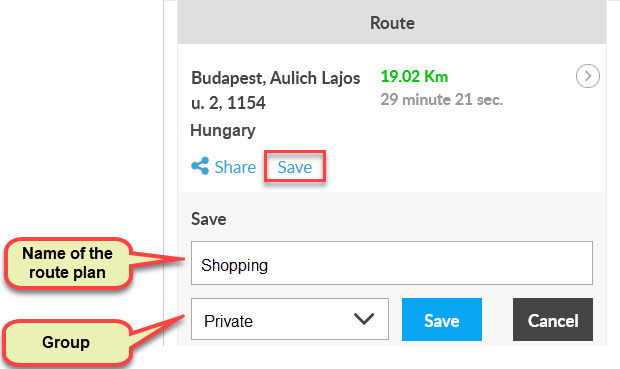
Clicking the Save button will save the route.
Nyomkövetés könnyen és hatékonyan
Flexcom Kommunikációs Kft - Minden jog fenntartva


