
Felhasználói eszközök
Tartalomjegyzék
Information panels
Information panels provide information about individual objects in the program (devices, routes, etc.) and allow you to initiate certain actions.
Contents of the information panel
The information panel contains, on the one hand, information about the object in question and, on the other hand, allows certain special operations that can be interpreted in relation to the given object. General structure of information panels:
You can start operations by tapping.
Display information panel
To open the panel, press and hold the selected object instead of tapping.
Closing the information panel
You can close the panel with the X button in the upper right corner.
Information panels in the system
The following information panels can be displayed on the map (depending on what is located at that point):
- Device information panel
- Route point information panel
- Road section information panel
Depending on the subject, information panels can contain different data and functions, such as:
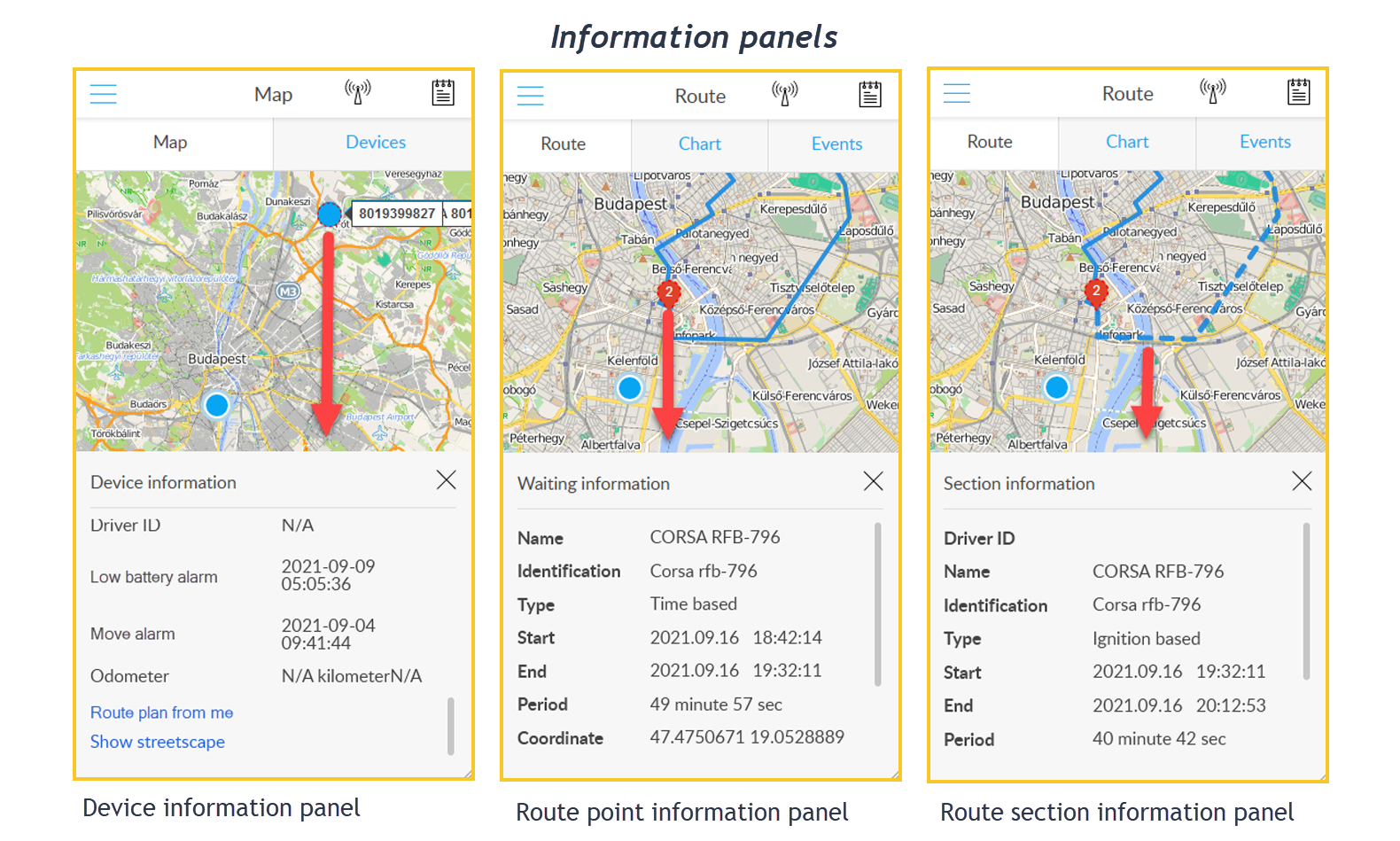
At the bottom of the device information panel are the following features:
- Route plan from me : Get directions from your location to your device.
- Show streetscape : Click on the link to see an image of that location (if it's on Google's list).
Nyomkövetés könnyen és hatékonyan


