
en:software:desktop:manual:route-planning:route-plan-from-device
Route plan from selected device
Create a route plan from a selected device to any point on the map. This version is usually used when you want to quickly create a route plan to another (arbitrary) point from a particular device. A prerequisite for its application is to have a selected device in the system.
Steps
- Select a device on the map or in the Tools panel.
- Right-click on any point on the map (this can be another device or a POI, or any other point on the map).
- In the information panel that appears, select the Route here function.
- The route planning panel appears, with the start and end points of the route (our device and the map point you clicked).
- Click the Route Planning button in the route planning panel.
- The system calculates the route in a few seconds and displays it on the map.
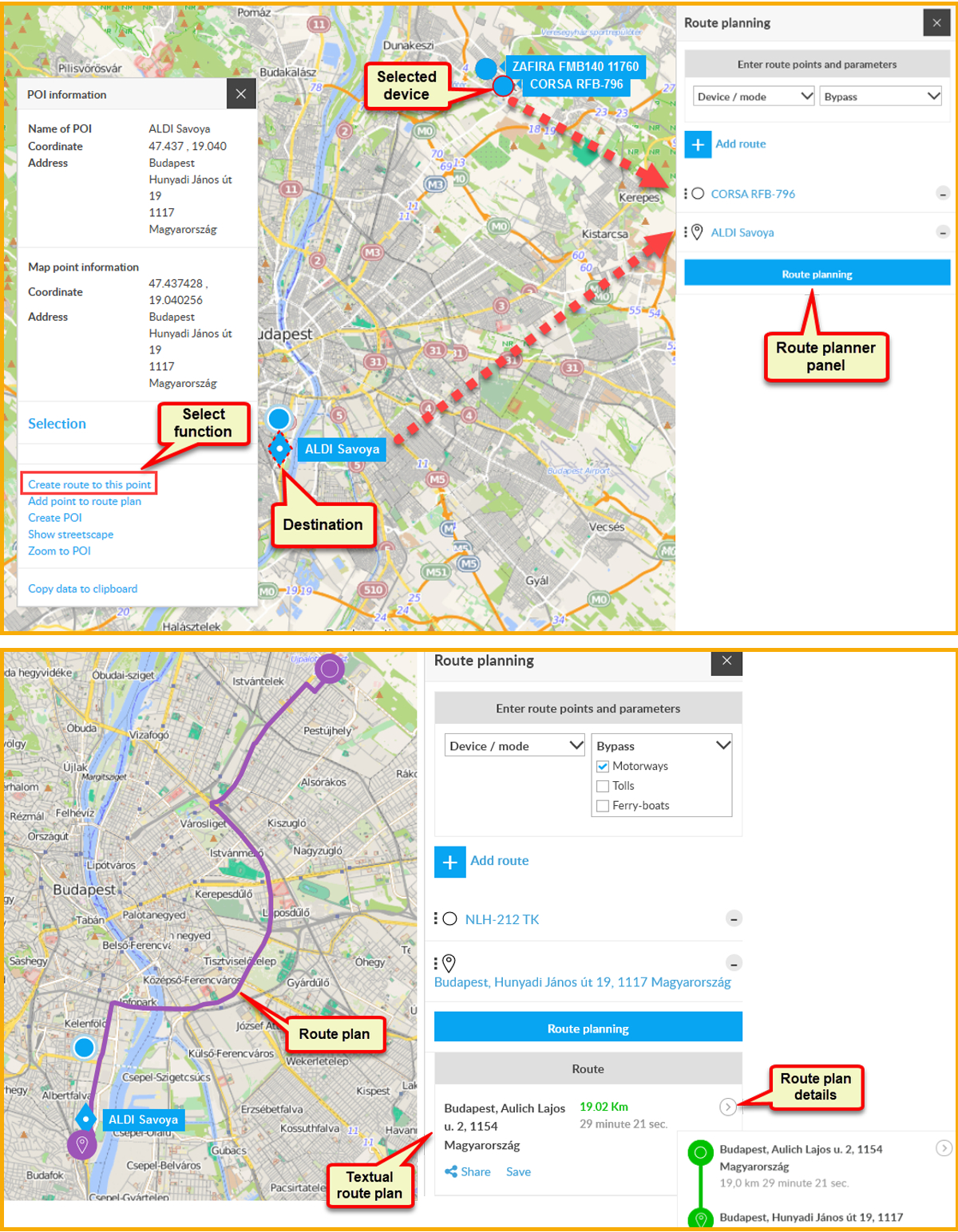
You can share the route or save it for later use.
Tracking easily and efficiently
Flexcom Communication Ltd. - All rights reserved


