
en:software:mobile:manual:common:setting-time-period
Specify a period
When using the system, it occurs several times (eg when querying a route or creating reports) that you have to specify the period to which you want to apply the desired operation. The elements that can be used for this work in the same way everywhere.
When specifying a period, you can either choose from periods predefined by the system (period templates) or set a custom period yourself using the calendar and time settings.
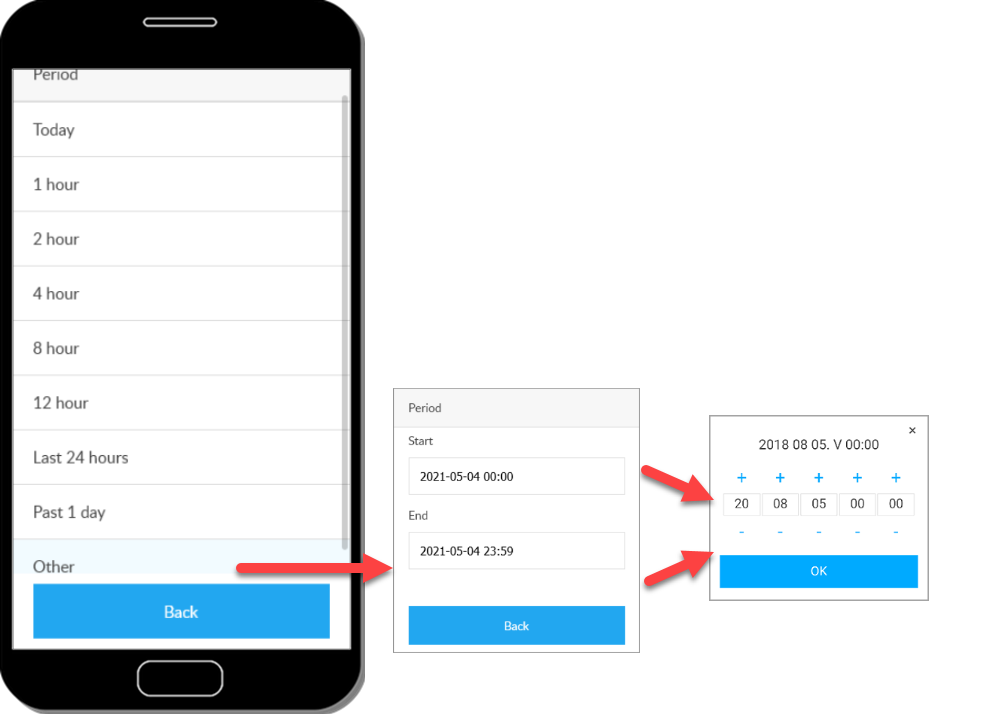
Other period
If you select Other, the calendar and the timer become available, where you can enter the start and end times of the period, or enter the calendar or the drop-down lists.
Tracking easily and efficiently
Flexcom Communication Ltd. - All rights reserved


