
Ignition
Parameters
In order to prepare the report, we must specify for which assets, for what period, where and with what content we request the statement.
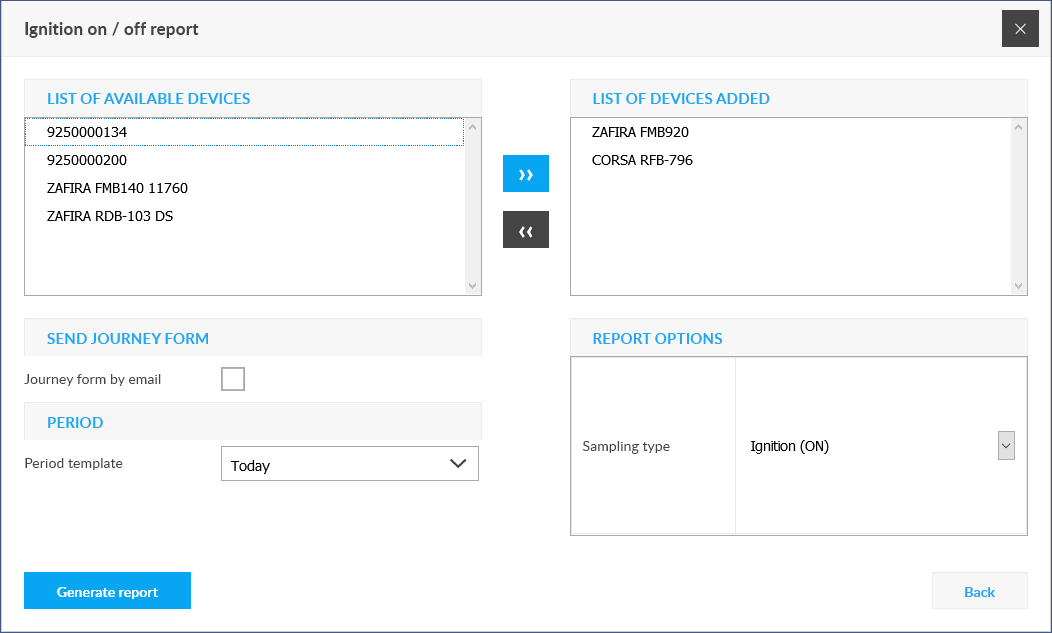
Select device(s)
The report will be generated for the selected device. You can add the desired device from the list of Selectable Devices on the left by double-clicking or selecting it with the right arrow after selecting it. You can select several devices - in which case the report will be prepared separately for each of them.
You can remove a device from the selection list by double-clicking on it or by selecting the left arrow after selecting it.
Request by email
If checked, the completed report will be emailed to the user's address.
Set period
Report options
- Ignition parameter:
Tracking easily and efficiently


