
Device list
The system records and tracks the devices connected to the service. Based on the data sent to the Service Provider by the devices, it marks their location and movement on the map, and also provides additional information.
After logging in to the system, the devices that the user wants to follow appear on the screen. On the one hand, these are the so-called They are shown in the device menu (left side of the screen) on the other hand. The Device menu lists the devices you are tracking in groups. The list can be filtered (only items that meet certain criteria are displayed) or categorized using groups. Most of the actions and information requests related to each device can be started from this menu.
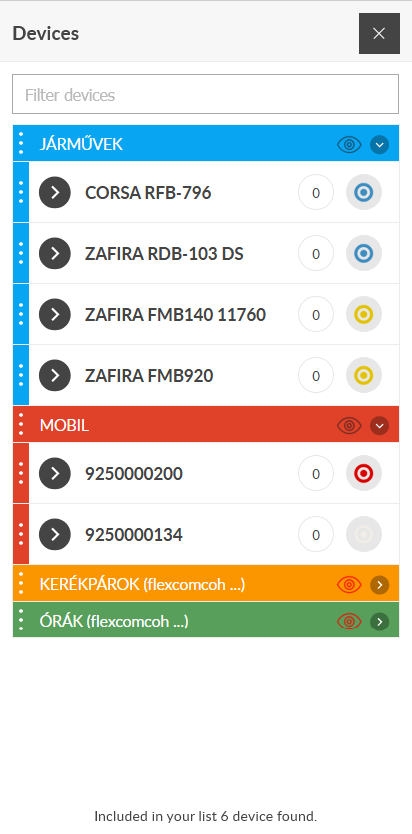 |
In the Device menu on the left side of the screen you will find the devices to be registered registered in the system. These are also shown on the map, depending on certain settings. The menu provides an overview of the devices in the form of a text list. By default, the list includes all of our devices, whether or not they are on the map view you are currently viewing. The list displays the devices in groups. Groups can be managed (created, modified, deleted) using the System function in the menu in the upper right corner of the browser window.
There are two ways to influence the appearance of devices in the list: by filtering or by opening and closing groups. Both modes make it easier to navigate the list and find tools. You can move devices in the list between each other or between groups. By selecting a device, we get information on the one hand, and we can initiate device-specific operations on the other hand. At the bottom of the list, the system displays the number of devices in the list. The number of objects means either all or the number of objects in the filter. |
Tracking easily and efficiently


