
en:software:desktop:manual:poi:poi-remove
Delete POI
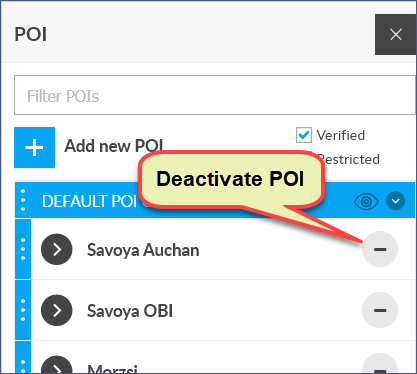
Deleting registered POIs is possible in two steps to prevent accidental deletion:
- Deactivate POI (the POI is added to the list of inactive and becomes unavailable in the list or on the map).
- if you choose, permanently delete (or possibly reactivate) the POI using the Manage Inactive POIs function (system menu).
Tracking easily and efficiently
Flexcom Communication Ltd. - All rights reserved


