
en:software:desktop:manual:route-planning:route-plan-share
Sharing an Itinerary
We can share our prepared route plans with our friends and partners. To do this, click the Share action in the Itinerary section of the Itinerary panel.
In the form that appears, we enter our partner's email address.
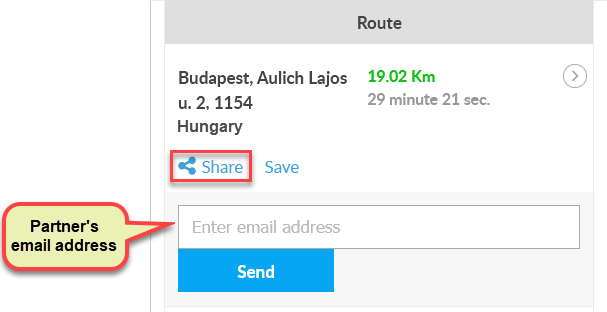
The Send button sends a link to the recipient in an email message, which can be clicked to view the route.
Tracking easily and efficiently
Flexcom Communication Ltd. - All rights reserved


