
en:software:mobile:manual:routes:route-sections
Route sections
The device route is divided into road sections by waiting / departure event points. Like the points, you can get map and Device menu information for each road segment.
Select route section
Steps
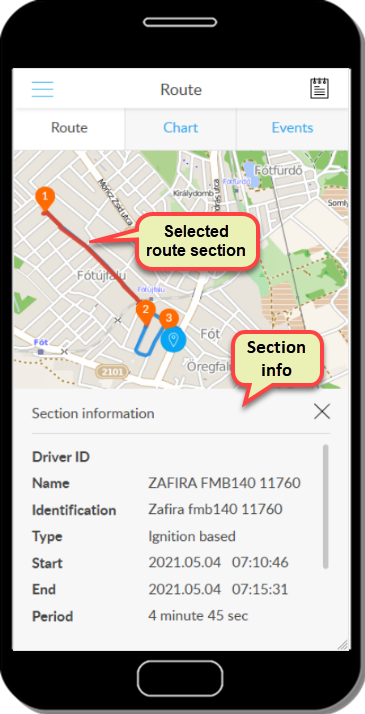
- On the map, we tap on the line of the route section in question.
- The line drawing the route section will be red.
Map information about a road segment
Steps
- Press and hold the line of the desired route section.
- The route section information panel is displayed.
Tracking easily and efficiently
Flexcom Communication Ltd. - All rights reserved


